

Smartwatches now offer far more than step counts and stopwatches. A new consumer guide has drawn attention to a set of built-in fitness tools that many owners overlook, but which ship as standard across most mainstream models. These features range from heart rate zone alerts and interval workouts to fall detection and back-to-start navigation. Together, they show how wearable software has matured from simple tracking into day-to-day training support and safety functions. They also reflect a wider shift: major platforms now bundle practical coaching, recovery cues and emergency options that work without extra apps or accessories. For users, this means phones can stay in pockets while watches handle more of the work on the wrist.
The focus on underused tools highlights confirmed, widely available features that rely on sensors present in most recent devices. Optical heart rate readers, GPS chips, motion sensors and, in some models, ECG or blood oxygen hardware enable features that appear in core settings menus, not hidden developer options. The result is a baseline of capabilities that spans brands and price points.
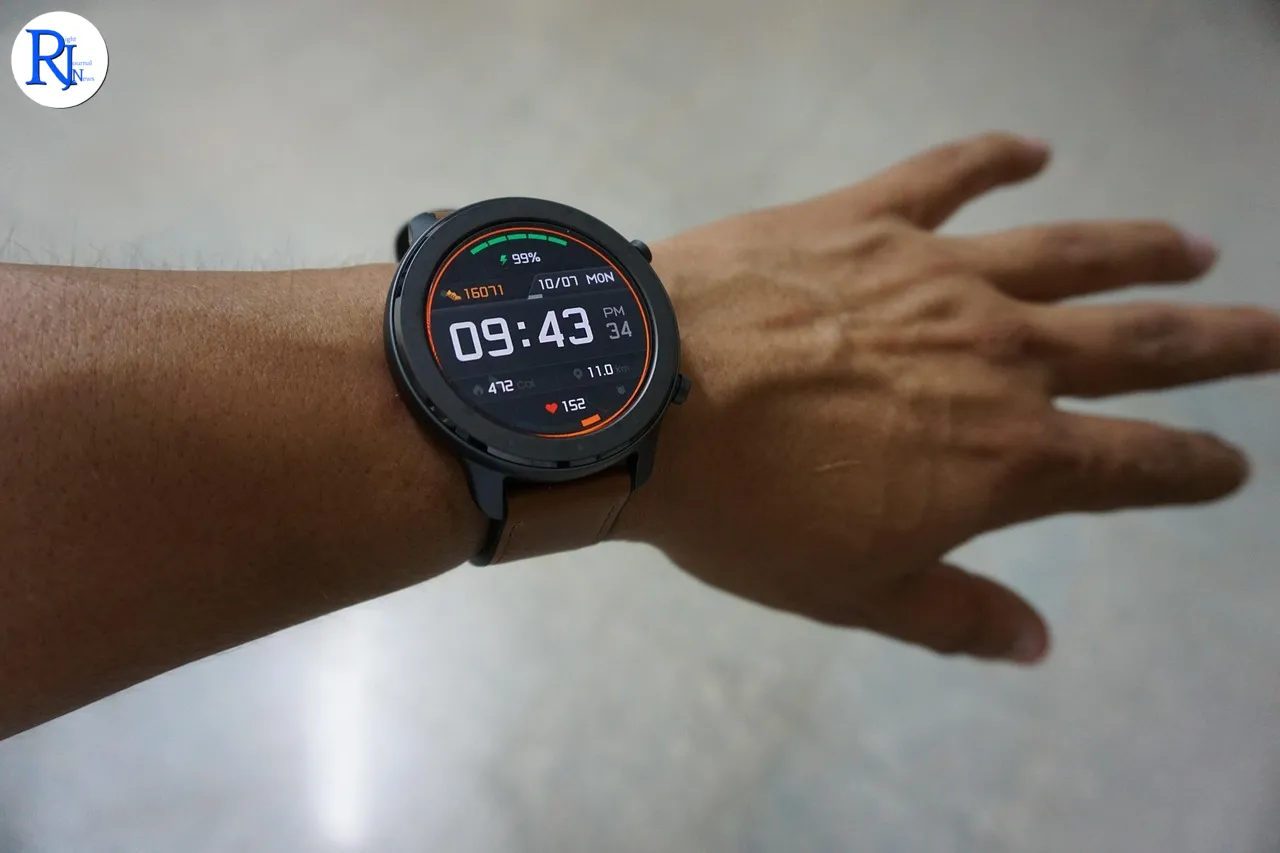
Heart rate zones turn sensors into on-wrist coaching
Modern smartwatches track heart rate all day using optical sensors that shine light into the skin to measure blood flow. During exercise, the watch uses this signal to estimate effort in real time. Many platforms convert the reading into heart rate zones. These zones group effort into ranges, from easy to very hard, based on a percentage of a person’s estimated maximum heart rate. On the wrist, this shows up as colour-coded bands and alerts that prompt the wearer to slow down or speed up.
The practical benefit is simple: the watch guides pace without constant phone checks or mental maths. Users can set targets, such as staying in a moderate zone for endurance training. Some watches also adjust zones when the user records more sessions, refining the guide over time. This feature does not diagnose health conditions and should not replace medical advice, but it can help structure workouts using data the device already captures.
Interval timers and auto-detection reduce setup time
Starting a workout quickly matters when time is short. Interval timers let users program work and rest blocks in advance, such as five repeats of two minutes hard and one minute easy. On the wrist, the watch vibrates or beeps at each change, so the user does not need to watch the screen. This removes guesswork and keeps the session consistent.
Auto-detection helps when a user forgets to press start. Many devices can detect common activities such as walking, running or cycling based on motion and heart rate patterns. After a few minutes, the watch prompts the wearer to confirm the activity and backfills the data from the start. This feature improves workout logs and calorie estimates without manual effort.
VO2 max and fitness age estimates explained
Several platforms estimate VO2 max, a measure linked to aerobic fitness that reflects how much oxygen the body can use during intense exercise. Watches do not run a lab test; instead, they infer the value from heart rate, pace and personal details such as age and sex during outdoor runs or walks. The estimate appears as a number and often a category, such as “average” or “excellent” for an age group.
Some devices translate this into a “fitness age,” which compares the estimate to typical values for different ages. These figures provide a simple, trackable snapshot of cardio fitness. They can rise or fall with training or inactivity. These are estimates and vary by device and method, but they give users a baseline to monitor trends over time.
Cadence and form cues support steady running
Cadence, the number of steps per minute, is one of the most useful running metrics. Most smartwatches can report it using the built-in accelerometer. In practice, cadence helps runners keep a steady rhythm and avoid overstriding, which can strain joints. Some devices let users set cadence alerts to stay within a chosen range.
More advanced form metrics, such as stride length or vertical movement, may need extra sensors like a chest strap or shoe pod. Where supported, these metrics can flag inefficient form. Even without extra gear, cadence and pace together can guide small adjustments that improve comfort and consistency on everyday runs.
Safety features link training with emergency support
Safety tools now sit alongside fitness features in many watches. Fall detection and incident detection use motion patterns to spot a hard fall or crash. If the wearer does not respond to an on-screen alert within a short window, the watch can send a message with location to chosen contacts and, in some regions, call emergency services. These tools rely on motion sensors, GPS and, where set up, mobile connectivity or a paired phone.
Emergency SOS adds a manual option. A long press on a button can trigger a call and share a location, which helps if someone feels unsafe on a run or walk. Users must enable these features, add contacts and confirm any regional calling limits. While these functions do not prevent incidents, they add a layer of support during solo training or commutes.
Sleep tracking and recovery cues shape rest days
Sleep affects training, and most current smartwatches track it automatically. Devices estimate sleep stages using movement and heart rate signals and summarise them as a sleep score. Many also show resting heart rate and heart rate variability trends. These measures can change with stress, illness or hard training days.
Several platforms use these trends to suggest lighter sessions or rest days. They present this as simple guidance, not medical advice. Users can pair these cues with subjective checks—how they feel on waking—to adjust plans. Silent alarms and bedtime reminders round out the tools, helping users keep consistent routines that support recovery.
Route guidance and back-to-start aid outdoor sessions
GPS route features have moved into the mainstream. Some watches can follow preloaded routes and alert users if they stray, while others offer a simpler “back-to-start” or breadcrumb trail. Back-to-start points the wearer towards the starting location and shows distance remaining. Both features can help during runs or hikes in unfamiliar areas.
Importing routes usually requires a phone app and a GPX or similar file. Once loaded, the watch shows turns on-screen and can buzz ahead of junctions. These tools rely on solid GPS reception and battery life, so users often adjust screen brightness or tracking frequency for longer outings.
On-wrist prompts keep movement consistent
Everyday nudges can be as useful as big features. Move reminders prompt users to stand and take a short walk if they sit for long periods. Customisable goals for active minutes or calories help shape days around realistic targets. Many watches now offer suggested workouts based on recent activity levels, such as an easy run after a hard interval day.
These prompts reduce decision fatigue. Users who want a plan can follow the suggestions; those who prefer flexibility can ignore them without penalty. Over time, consistent small actions deliver more benefit than occasional intense sessions, and the watch’s role is to keep momentum going with light-touch cues.